Switching / Moving from Kajabi, Teachable or Thinkific
Your courses, and a community around each one.
The founder sets it up with you. Each course can have its own group, next to events and 1:1 chat, with no member limit, from $49/mo billed annually ($65 month to month).
14-day free trial, no cardCancel anytime30-day refund on your first payment
Kajabi and TribeCrafter, side by side
Kajabi Basic is $143/mo billed annually for 2,500 contacts and one community. TribeCrafter starts at $49/mo billed annually, with unlimited members and as many groups as you want. Fees are close: with Kajabi Payments neither of us takes a cut, and on your own Stripe Kajabi adds 2% on Basic.
| What you compare | TribeCrafter | Kajabi |
|---|---|---|
| Lowest plan, billed annually | $49/moStarter; $65 billed monthly | $143/moBasic; $179 billed monthly |
| Middle plan, billed annually | $149/moGrowth; $195 billed monthly. Founding offer: $99/mo in your first year | $199/moGrowth; $249 billed monthly |
| Members / contacts | Unlimited membersOn every plan | 2,500 contacts on Basic25,000 on Growth; more in blocks of 25,000 for $125/mo. Contacts are everyone you can email and market to, leads included |
| Community | As many groups as you wantOne for each course if you like, plus feed, events, blog and 1:1 chat on every plan | 1 community on Basic and Growth3 on Pro |
| Products you can sell | No limitOn every plan | 5 on Basic, 50 on GrowthUnlimited on Pro |
| Video storage | 100 GB / 500 GB / 1 TBStarter / Growth / Scale. A lesson can also play a YouTube, Vimeo or Wistia link, which uses none of it | Not listedTheir pricing page lists contacts, products and communities, not storage |
| Team seats | 3 / 10 / 30Starter / Growth / Scale | 2 / 11 / 26Basic / Growth / Pro |
| Fee on your sales | 0%Always, on your own Stripe account. Stripe's normal card fee only | 0% on Kajabi PaymentsCard rate 2.9% + 30¢ on Basic (US). On your own Stripe: 2% more on Basic, 1% on Growth |
Sources: kajabi.com/pricing, checked 12 Nov 2026 (US prices), and our pricing page.
Coming from Teachable or Thinkific?
The move is the same: upload your courses, invite your students by email, and give them what they paid for. On sales alone, $49 at 0% costs less than Teachable Starter at $29 plus 7.5% once you sell more than about $270 a month.
| What you compare | TribeCrafter | Teachable | Thinkific |
|---|---|---|---|
| Lowest plan, billed annually | $49/moStarter | $29/moStarter; Builder is $69/mo | $82/moStart |
| Fee on your sales | 0%On every plan | 7.5% on Starter0% from Builder, on Teachable Payments | Not listed per planThinkific Payments card rate: 2.9% |
| Community | As many groups as you wantOn every plan | Not on StarterIncluded from Builder | 1 community on Start3 on Grow |
| Students and products | No limitUnlimited members and products on every plan | 5 products on Starter10 on Builder; unlimited students | 10,000 current studentsUnlimited courses |
Sources: teachable.com/pricing and thinkific.com/pricing, checked 12 Nov 2026 (US prices).
What you get on TribeCrafter
Your course, its group and its events on one site, under your brand and your domain. And one plain menu to run it all.
One plain menu in Studio
Courses, groups, events, pricing and members, each a click away. No plugins to install and no second admin to learn. Staff roles see a shorter menu with only the parts they work on.
 7:42 / 12:10
Lessons, previews, drip and certificates
Hosted video that plays only for students with access, free preview lessons, progress and resume, drip by section, and a certificate at 100%.
Events with reminders
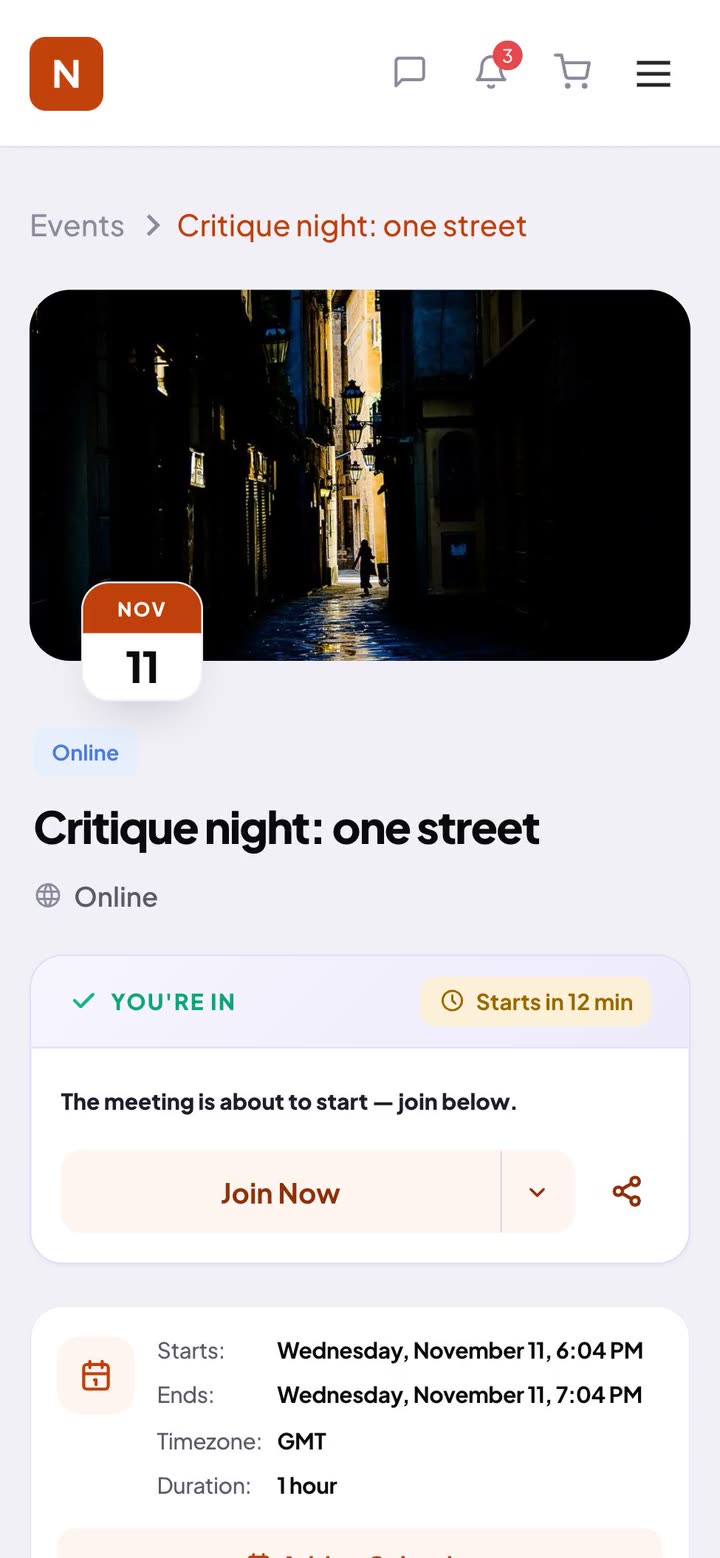
Events with email and in-app reminders 24 hours and 15 minutes before, a calendar file, and the recording link after. Paste your Zoom, Google Meet or any meeting link.
One street, five frames, no zoom. The third one finally worked.

A group for every course
Give each course its own group with a feed, members and shared files. New posts show up live, announcements run as a banner across the site, and students who were away get a "what you missed" email after 1, 3 or 7 days.

Setting up our community on TribeCrafter was smooth, and Faizan and his team were right there whenever we needed help.Anders Olsson, founder of Conscious Breathing Institute

The menus are grouped in a way that just makes sense. It's not complex at all, super self-explanatory, and easy to pick up.Cheerlyn, Creative Director at Great Big Photography WorldOur founder looked after their BuddyBoss site for years.
How moving works
You upload your courses and invite your students, while Kajabi keeps running. The founder walks you through each step.
- A 30-minute callWhat you sell on Kajabi today, and what moves.
- Set up togetherYour brand, domain, plans and products in Studio.
- Upload your coursesUpload each course as a folder of videos; every video becomes a lesson.
- Invite your studentsPaste their emails in Studio. Once they join, give each one what they already paid for.
- Go livePoint your links to the new site, and send newsletters from your email tool.

Talk it through with the founder.
I answer support myself, and a small team builds the product with me. On a 30-minute call we look at what you want to run and how to set it up here.
Faizan, founder and technical leadMoving over, answered
Do my students have to sign up again?
They get an email invite and sign up in a minute. Once they're in, you give each one the courses they already bought, without charging them again. Students start each course fresh, and can mark the lessons they already finished as complete.
What about students who pay monthly?
They keep what they paid for. In Studio you give them access until their Kajabi period ends, and from then they subscribe on TribeCrafter. Stop their renewals on Kajabi, so nobody pays twice.
Can I keep Kajabi running while I move?
Yes. Set up and upload on TribeCrafter while Kajabi keeps running, invite your students when it's ready, then point your links to the new site.
Who uploads my course videos?
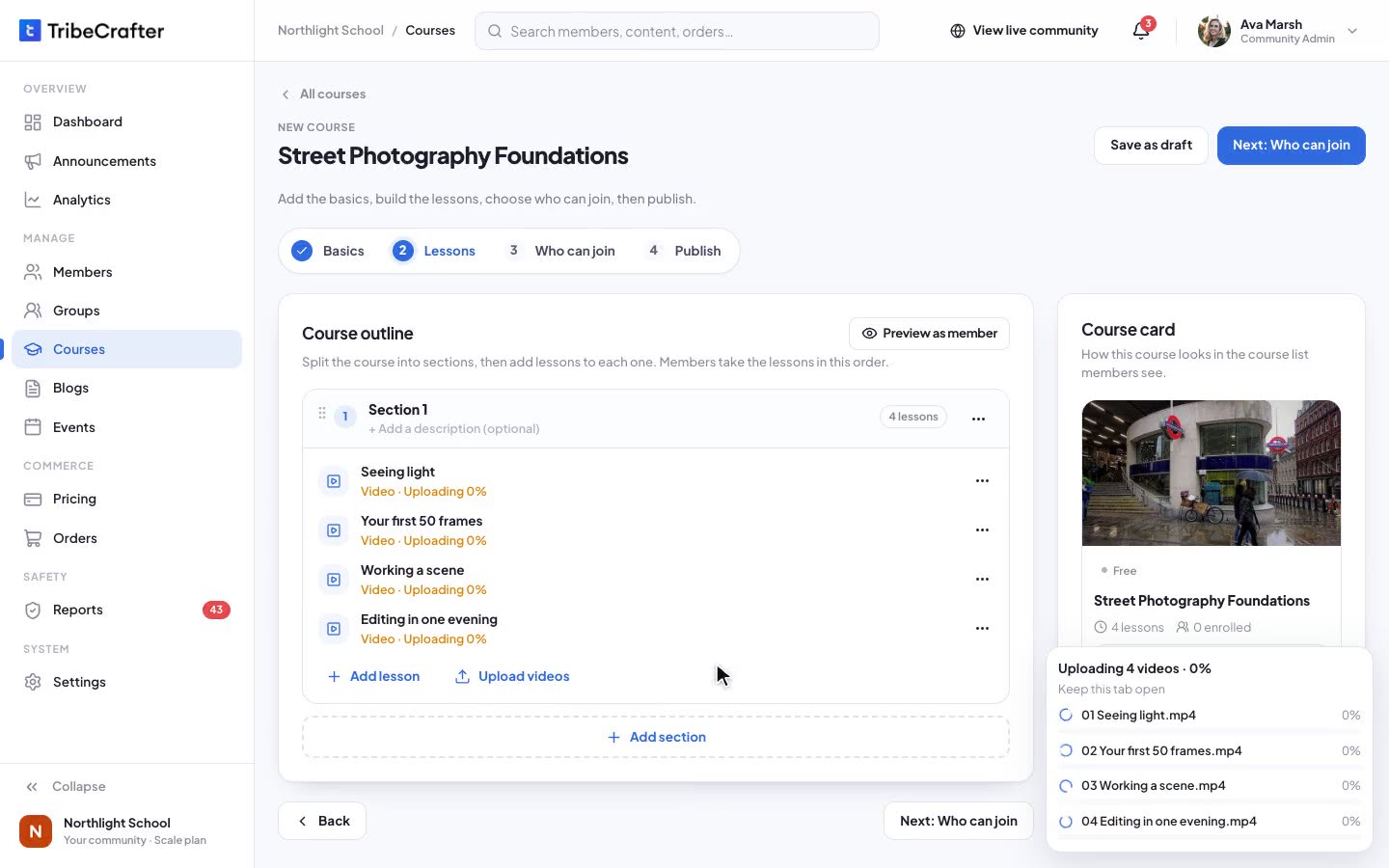
You do, one folder per course: every video becomes a lesson, and uploads keep going while you work. The founder walks you through it. Starter gives you 100 GB of storage and video up to 1080p, 2 GB per file. Growth takes files up to 10 GB and adds download protection. Extra storage: +100 GB $8, +250 GB $15 or +1 TB $39 a month. See every plan.
What happens to my email list?
Send newsletters from the email tool you like, and export your members from Studio as a CSV for it. TribeCrafter sends the member emails for you: welcome, event reminders, "what you missed" digests and announcements, from your own domain.
Can I sell bundles and subscriptions?
Yes: single courses, bundles, monthly and annual plans, and "all courses" offers that include the courses you add later. You sell in your own currency, and payouts go to your own Stripe account.
Coming from Teachable or Thinkific?
The move is the same: upload your courses, invite your students by email, and give them what they paid for. Teachable Starter is $29/mo billed annually plus 7.5% of each sale, and Thinkific starts at $82/mo billed annually with one community. TribeCrafter takes 0% on every plan. See the side by side.
Is there an app?
Students use TribeCrafter in their phone's browser today. Native iOS and Android apps are coming in early 2027.
What if it isn't right for us?
Ask within 30 days of your first payment and we refund it in full. After that, cancel anytime.
Coming from somewhere else?
- Starting freshNo members needed. Pick a goal in Studio, and the founder helps you plan your first launch.Start from zero →
- A Facebook groupYour group, calls, files and payments in one place.Moving from a Facebook group →
- Circle0% platform fees, and courses with hosted video built in.Moving from Circle →
Your courses and community, in one place.
Set it up yourself, or book 30 minutes with the founder first and ask anything.
14-day free trial, no cardCancel your plan anytime30-day refund on your first payment