How to Delete a Facebook Group (2026) – Step-by-Step Guide

Anum Basit
Head of Content
7 min read


Head of Content
Creating a community over Facebook is the first thought that comes to your mind when starting your virtual community. The reason being, Facebook has more than 3 billion active users and it is a free platform making it an ideal spot for community admins.
However, imagine for a second that you spend years on growing your Facebook group and one day you wake up and your account is hacked. Well, this had happened to Mearth, an Australian company that faced significant challenges when its Facebook and Instagram accounts were unexpectedly disabled. This led to a drastic decline in sales and staff layoffs, underscoring the risks businesses face when overly dependent on Facebook groups.
Apart from this fear, there are many other reasons to take charge of one of your most valuable assets and remove it off Facebook as soon as possible.
Moreover, there is an increasing trend of users seeking to delete or reduce their presence on Facebook. For instance, recent reports indicate a surge in Google searches related to deleting Facebook accounts following policy changes by Meta.
Deleting a Facebook group can be a significant decision for administrators, often driven by various practical considerations. Elena Mutonono’s decision to delete her Facebook group after 3.5 years due to misalignment with her business values and goals. Her experience offers a perspective on recognizing when a platform no longer serves a community’s best interests.
Here are some common reasons why one might choose to delete a Facebook group:
If members are not actively participating or posting content, the group may lose its purpose and vibrancy, prompting a decision to delete it. This lack of members activity may also lead to demotivation of the administrator who will eventually end up deleting the group.
The original theme or purpose of the group may no longer align with the interests of its members or the admin, making it less relevant.
If a community decides to move to another platform that better suits their needs, deleting the Facebook group may be part of that transition.
There are many other better options for online communities, such as TribeCrafter. Signup now to know more details about it.
Running a Facebook group can become overwhelming, especially if it requires constant moderation or if the admin cannot commit enough time.
A dwindling member pool and lack of new members can signal that the group is no longer serving its intended community. This may lead to deleting of the group.
Growing concerns about privacy and data security can lead admins to reconsider their presence on social media platforms, including Facebook. A study revealed that nearly 9% of Americans surveyed had deleted their Facebook accounts for such reasons.
Online communities have all kinds of people. If the group has become hostile or toxic, with negative interactions among members, deleting it may be necessary to maintain a positive online experience.
Sometimes, groups may inadvertently duplicate existing ones, leading to confusion among members. Deleting one can help streamline community engagement.
Some individuals may wish to reduce their social media footprint altogether, leading them to delete groups they manage.
To delete a Facebook group, you need to follow a series of steps as there is no direct “delete” button available. Here’s a concise guide for both desktop and mobile platforms in which you can learn how to delete a Facebook group.
Follow these steps to delete your Facebook group on your desktop:
Access Groups
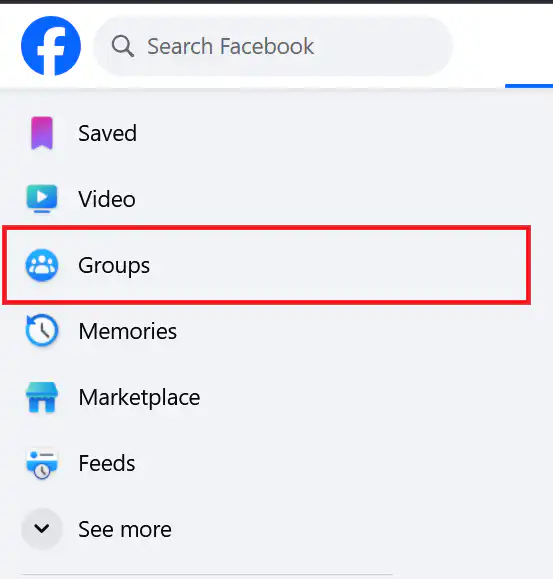
Log into your Facebook account and click on “Groups” in the left-hand menu.
Select Your Group
Find the group you want to delete under “Groups You Manage” and click on it.
Remove Members:
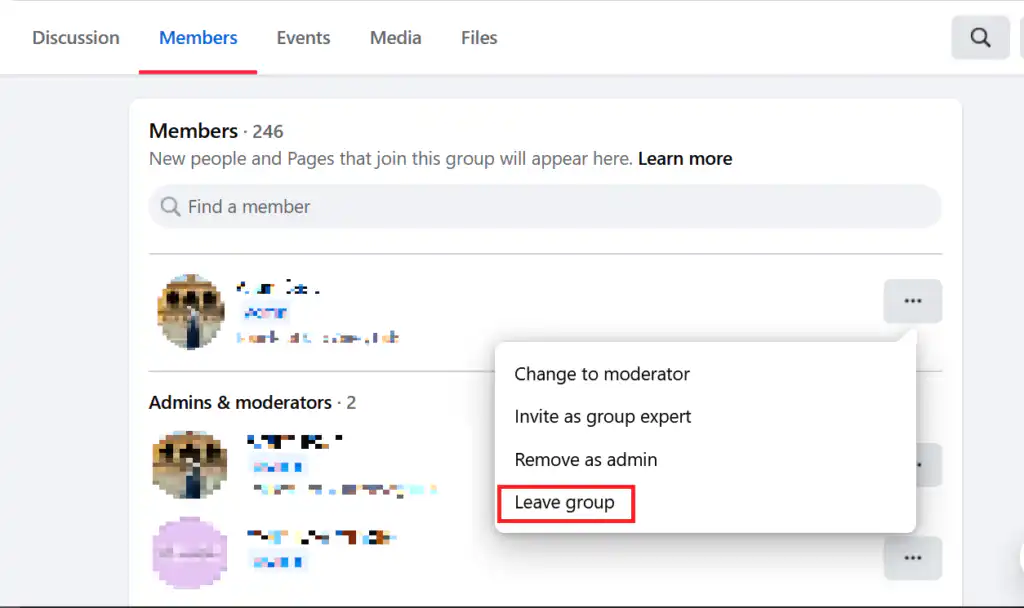
Click on the “Members” tab to see all members.
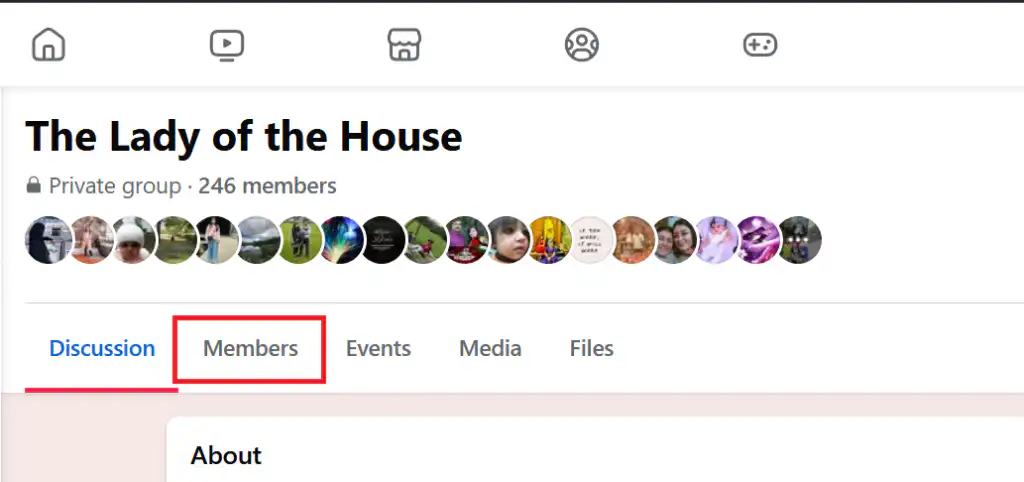
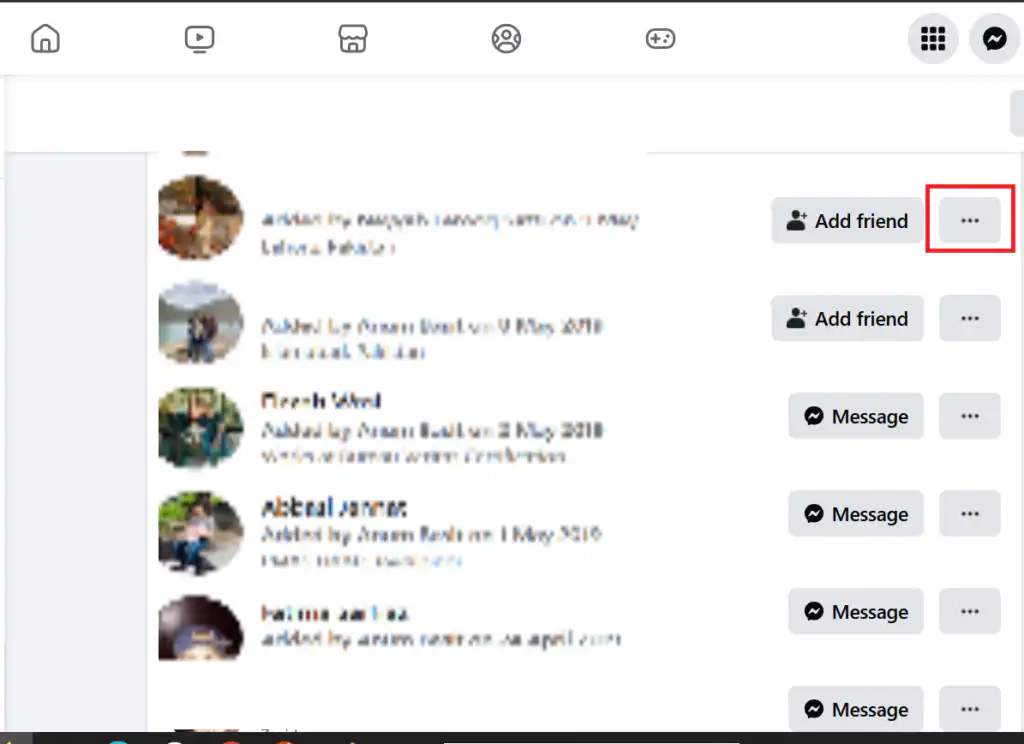
For each member, click the three dots next to their name.
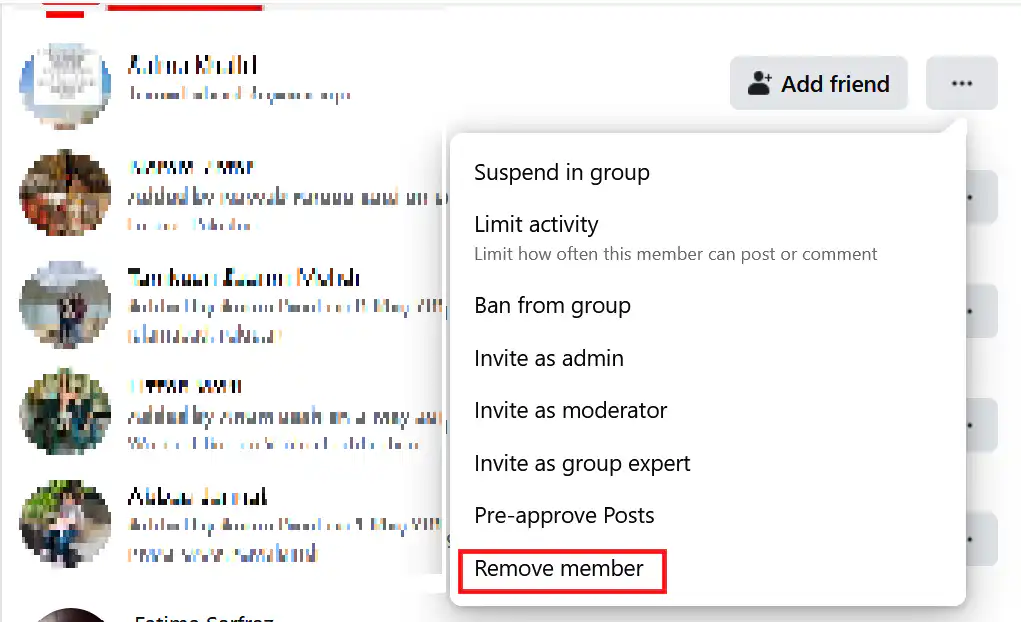
Select “Remove Member.” Confirm the removal. Repeat this until you are the only member left in the group.
Leave the Group: Once you are the last member, click on the three dots next to your name and select “Leave Group.” This action will prompt Facebook to delete the group automatically.
In order to delete a Facebook group on your mobile, you need to follow these steps:
Open Facebook App
Launch the app and tap on the menu icon (three horizontal lines).
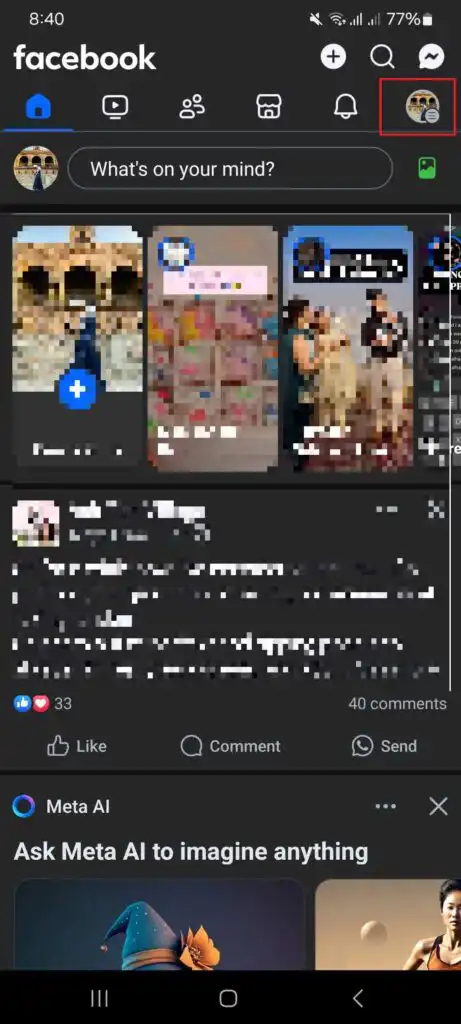
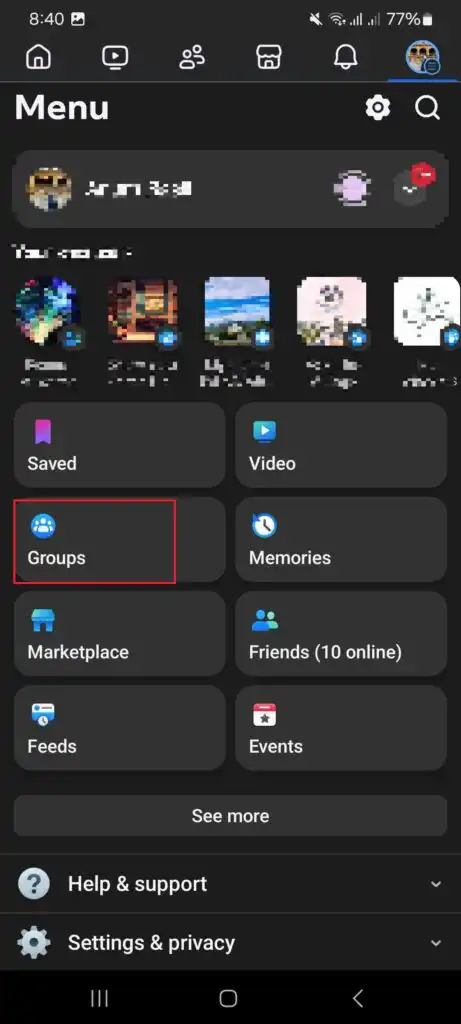
Navigate to Groups: Tap on “Groups,” then select “Your Groups” and find the group you wish to delete.
Remove Members:
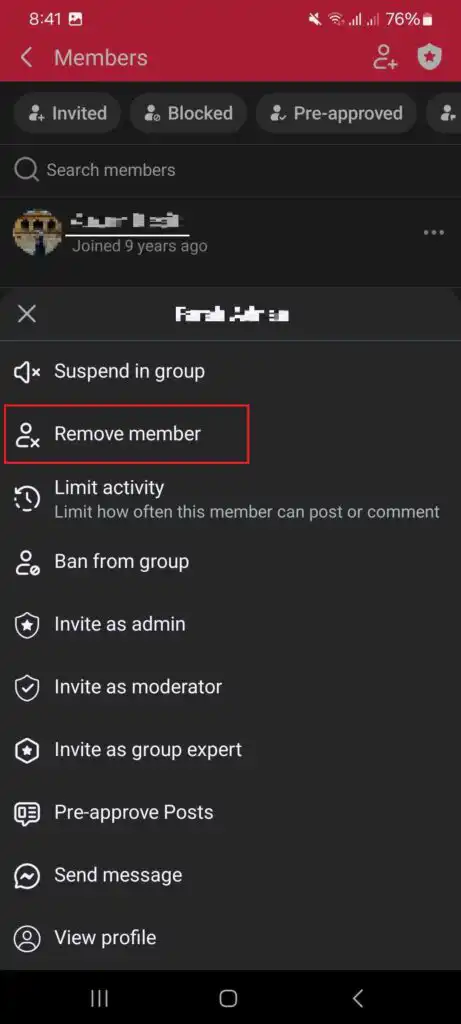
Tap on the group name, then tap on “See All” under Members.
For each member, tap their name, select “Remove from Group,” and confirm.
Delete the Group: After removing all members, go back to the group’s main page, tap on “Manage,” scroll down, and select “Delete Group.” Confirm your choice.
There are few things that you must keep in mind before deleting your Facebook group. Such as, ensure that you communicate with group members about the closure if necessary, allowing them time to save any important content before deletion.
Once deleted, all content and member requests associated with the group will be permanently removed from Facebook. Thus, you should be prepared before taking such a decision.
If you’re deleting your Facebook Group because it’s no longer serving your community well, you’re not alone — Facebook Groups come with real limitations, from algorithm-throttled reach to little control over your own member data.
TribeCrafter is an all-in-one community platform that combines groups, courses, events, a blog, and monetization tools in a single product — giving you a space you actually own, with no algorithm deciding who sees your posts and no risk of losing your community if a policy change or account issue takes the group down.
See how TribeCrafter works and start building a community that’s built to last.
A: No, only group admins can delete a Facebook group. If you’re a member, you can leave the group, but it won’t be deleted unless an admin removes all members and then deletes it.
A: Deleting a group permanently removes all content, including posts, comments, and member lists. Once deleted, it cannot be recovered.
A: To archive a group:
A: No, once a group is deleted, it’s permanently removed from Facebook, and members cannot access it.
A: If you remove all members and delete the group, it’s deleted instantly. However, if Facebook removes a group due to violations, it may take time.
Help shape TribeCrafter. Build and monetize your community, and tell us what you need next.
No credit card required
Get the best community growth
strategies delivered to your inbox.